- Install Node.JS
Use this link to install Node.JS https://nodejs.org/en/2. Install yeomen and gulpCMD>npm install –g yo gulp3. Install SPFX generatorsCMD>npm install –g @microsoft/generator-sharepoint4. Create First Web partCMD>yo @microsoft/sharepoint5. Run and Test Project
CMD>gulp trust-dev-certCMD>gulp serve6. Package and DeployCMD>gulp package-solution7. Install and Add on PageA. Upload the *.sppkg file in app catalogB. Add new App from site contents pageC. Keep app running in localD. Create new page and Add App
Showing posts with label SharePoint 2016. Show all posts
Showing posts with label SharePoint 2016. Show all posts
Sunday, April 16, 2017
Seven steps to build and deploy SPFX web part to SharePoint


Tuesday, August 25, 2015
List of feature improvement in SharePoint 2016
Find below list which is full of awesomeness about SharePoint 2016 improvements:
1. Lists in SharePoint 2016 are Optimized(5000 list item threshold), SP2016 auto manages the index to optimize large lists.
2. Stsadm is deprecated but it will still work and can be used for running commands that are not available through PowerShell yet.
2. Stsadm is deprecated but it will still work and can be used for running commands that are not available through PowerShell yet.
3. SPFX is will be available for SharePoint 2018 on prem feature pack 2 onwards
Will Update more in some time
SharePoint 2016 installation step-by-step
Today Microsoft launched preview beta version of SharePoint 2016.
Download link : http://www.microsoft.com/en-us/download/details.aspx?id=48712
New features added in SharePoint 2016 : https://technet.microsoft.com/en-us/library/mt346121(v=office.16).aspx
Lets get hands on installation and user experience using below step by step installation screens of SharePoint 2016
1. Installing Pre-requisite



Download link : http://www.microsoft.com/en-us/download/details.aspx?id=48712
New features added in SharePoint 2016 : https://technet.microsoft.com/en-us/library/mt346121(v=office.16).aspx
Lets get hands on installation and user experience using below step by step installation screens of SharePoint 2016
1. Installing Pre-requisite

2. Splash Screen

3. Installation started for SharePoint 2016


Product key for 180 Days trial "NQTMW-K63MQ-39G6H-B2CH9-FRDWJ"

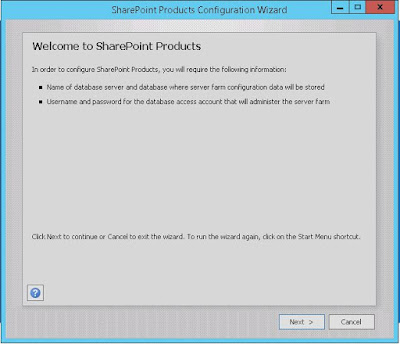
4. Installation done Run Config wizard


As you know we dont have standalone concept in SharePoint 2016. So need to configure single server FARM and install DB first. Database Installation in progress for further processing.
Subscribe to:
Posts (Atom)
SharePoint document metadata not updating
I faced a weird issue today, Metadata for document which has lookup column was not updating even after saving the item. There was no erro...

-
It is a permission issue. DateTimeControl field uses the iframe calender page to render the actual calender. The location of iframe...
-
Use below function to clear the people picker control values from page on client side. Code:
-
 I faced a weird issue today, Metadata for document which has lookup column was not updating even after saving the item. There was no erro...